Ok, so in a recent post I summarized some reading I had recently done about security harnesses. When I say “security harness” think “thingie which orchestrates many many LLM sessions to turn tokens and environmental stability into zero day vulnerabilities and dopamine”. That is, as Claude Code is to code generation, a security harness is to vulnerability hunting.
The next obvious step is to try one of these things and see if it does what it says it does on the tin. That is, do I get the dopamines? The problem of course is finding one.
A harness is the orchestration layer around an LLM. It controls the inputs, tools, prompts, models, state, validation gates and outputs for each stage of work. — ZephrSec
I am grateful to ZephrSec for their blog post by the way, because I was really struggling to find any good security harnesses apart from Anthropic’s reference implementation until I found this post. I also note that most of these security harness are currently C / C++ specific as best as I can tell, which is disappointing — that is, as someone interested in looking at the security of internet-facing services written in python, I am struggling a little to find good tooling.
In the end because of this limitation I decided I’d start off with RAPTOR, which is essentially a plugin for Claude Code — noting that there is very little magic here, its just a fancy CLAUDE.md file that gets autoloaded on Claude Code startup and some skill definitions. Installing it was a wee bit fiddly:
# Clone the repo
git clone https://github.com/gadievron/raptor.git
cd raptor

# Install Python dependencies
pip install -r requirements.txt

# Install Claude Code and then make sure its on our path
curl -fsSL https://claude.ai/install.sh | bash
echo 'export PATH="$HOME/.local/bin:$PATH"' >> ~/.bashrc && source ~/.bashrc

# Install a bunch of helpers. Fetch this gist to install-raptor-tools.sh:
# https://gist.github.com/mikalstill/2a89b59add4ec9e59986fa085ab8641d
./install-raptor-tools.sh

# Open RAPTOR from the folder RAPTOR was cloned to
bin/raptor
I decided a logical first target was instar, so I cloned it in my instance’s default user home directory, and then started a RAPTOR project:
/project create instar --target /home/debian/instar
/project use instar
/understand --map
This creates a new project, activates it, and then maps the codebase ready for scanning. instar is a fair bit of rust at about 136,000 lines of code, so the initial bootstrapping took a while.
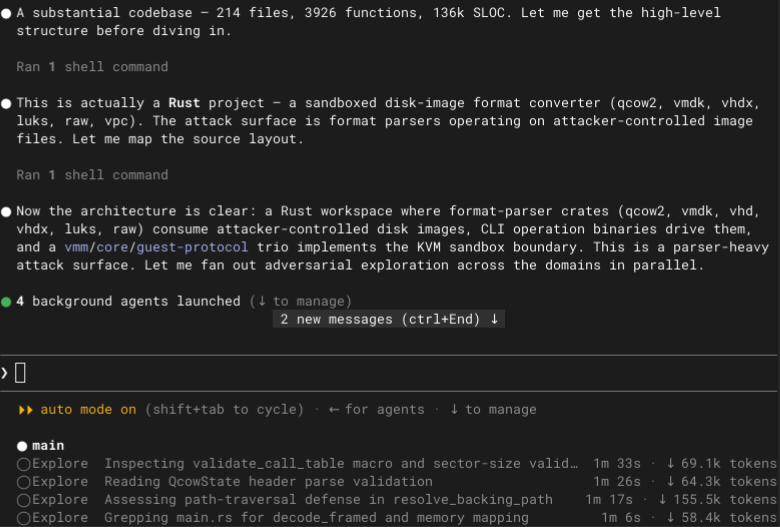
Honestly RAPTOR felt pretty good — it didn’t consume my entire Anthropic quota, and it found something which is likely a real security bug in an allegedly security focused project within about ten minutes. I suspect its not as scalable as some of the other C / C++ harnesses, but it makes up for that by being language agnostic. I can see myself spending some more time playing with RAPTOR.
It seems like the workflow I naturally wanted to use in RAPTOR — an initial discovery phase, then fanning out to research agents, and finally coalescing down to a single conversation with the operator about what bugs were real and what issues to file — wasn’t represented in RAPTOR, so I asked Claude to add that as a new /triage command. This means I am now running a fork of RAPTOR, which you can find at github.com/mikalstill/raptor. It doesn’t feel “meaty” enough to consider contributing back just yet, but we’ll see what happens. Its entirely possible I am holding the tool wrong or something.
Now, RAPTOR doesn’t solve the massively parallel orchestration problems that Cloudflare alleged I would have in their blog posts, but even they started off with something simpler in Claude Code and then iterated. I therefore consider this a prototyping and learning phase for now.